Welcome to Windows, Safari!
Posted on 2007-06-25 16:59:19. 8111 views. 7 comment(s).
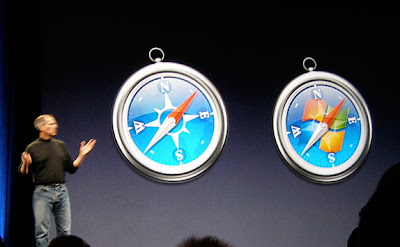
Pengen nyobain Apple Safari? tapi gak punya Mac? Kini Apple melepaskan versi Windows dari browser kesayangannya mengikuti jejak iTunes yang sudah lebih dahulu dilepas ke belantara PC.
Webdeveloper yang tidak menggunakan Mac sekarang mendapatkan "testbed browser" baru. Tidak perlu beralih ke platform Mac kalo cuma ingin menjajal Safari. Tapi dengan menjajal Safari, mungkin malah akan semakin ingin beralih secepatnya. Hehehehe... Secara sekarang Mac udah bisa "run the Windows".

Information
This is the "print friendly" version for Welcome to Windows, Safari!,
the optimized version for printing and PDF archiving. Generated at Jun 12, 2026.
Original and actual version can be reached at https://adha.ms/p/90/welcome-to-windows-safari/.
This post is written and copyrighted by the blog owner — all copyrighted materials from other creator that mentioned in this page are explicitly mentioned.
You may use any information in this page (that copyrighted by the blog owner) for non-commercial purpose with credits, and also backlinks if possible.
If you want to use for commercial purpose, please feel free to let me know first.
Comments
Comments are not moderated.
All comments are belong to the commentators.
Below are comments for Welcome to Windows, Safari!.
About Adham Somantrie
Blog. Design. Code. Digital. Brand.
And also a happy runner.
Copyright © 2003 - 2026. Adham Somantrie (http://adha.ms/). Bandung, Medan and Jakarta, Indonesia.



kus
maap .... reporternya telat kirim berita ya? ini kan dah lama
BTW di persi winnya banyak masalah , jadi rasa - rasanya mending pakai safari native di Mac aja.
bug nya banyak banget.
2007-06-26 09:18:11 from 239.subnet125-164-120.speedy.telkom.net.id (125.164.120.239)